Your free trial, your plan, and your bill
How the 14-day trial works, what the trial banner means, where to see your plan and usage, and how to cancel before you're charged.
3 steps · about 4 minutes
- 1
How the free trial works
Your first 14 days on the plan are free. A card is required when you sign up, but no plan fee is charged during the trial.
On day 15 your card is charged for the Starter plan, and your service continues without a break. If you cancel before then, no plan fee is charged. We email you a reminder three days before the first charge.
Add-ons are separate and are charged when you buy them, trial or not — a phone number, or the one-time carrier registration that turns on business texting. Each one shows its price before you confirm.
The trial always converts to Starter, whichever plan you were looking at when you signed up. You can change plans afterwards.
- 2
The trial banner
Top of every screen
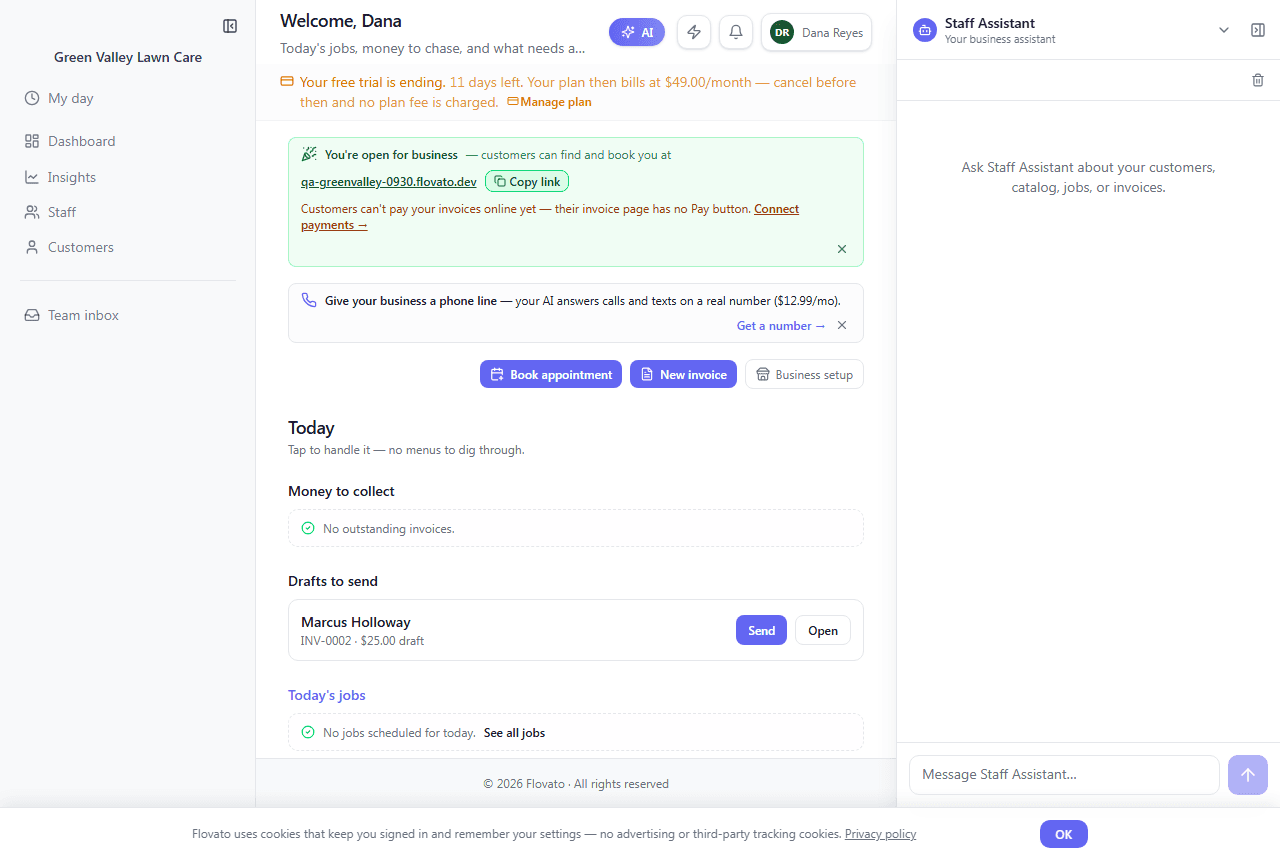
While you're on the trial, a banner at the top of the app counts down, for example: "Your free trial is ending. 11 days left. Your plan then bills at $49.00/month — cancel before then and no plan fee is charged." The "Manage plan" link beside it opens your billing page.
Dates are shown in your business's timezone.
- 3
See your plan and usage
Dashboard → Manage billing →
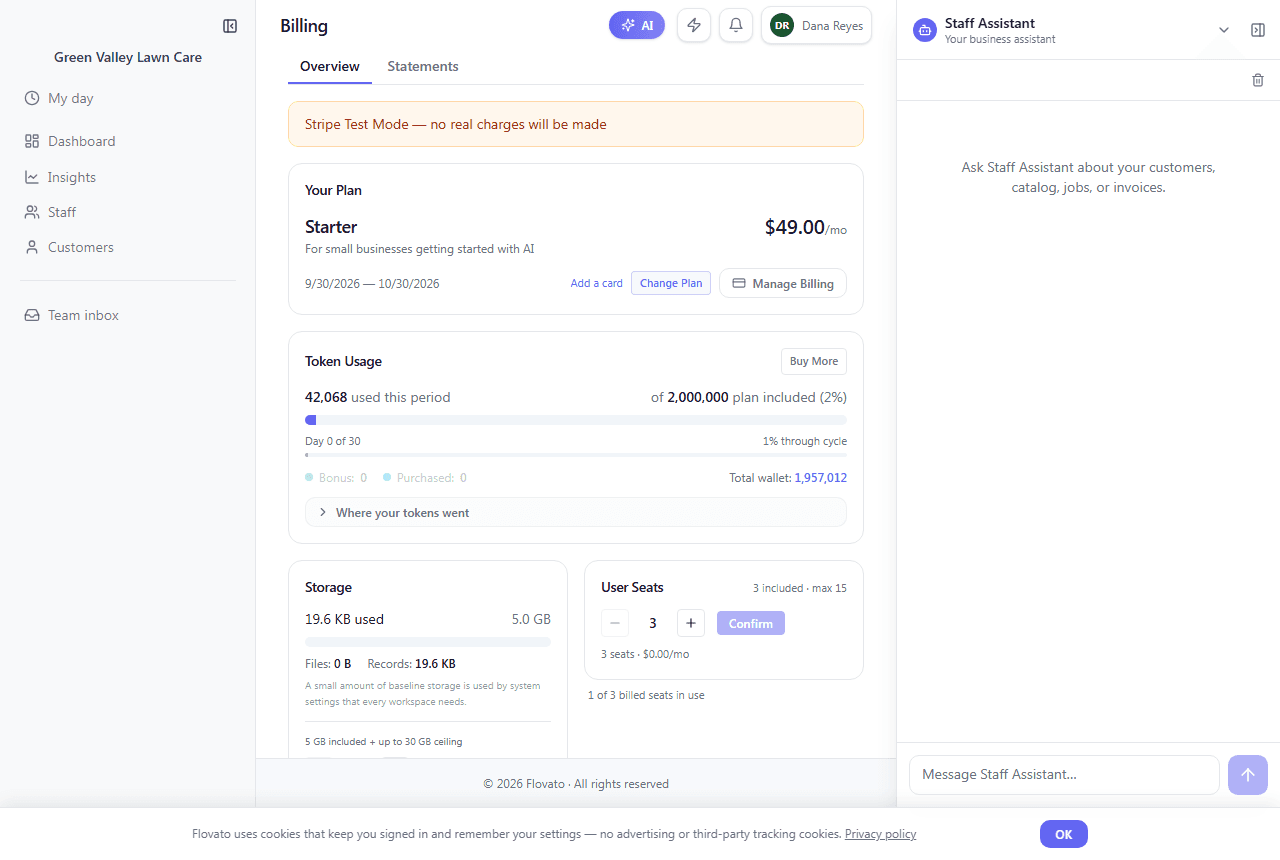
The billing page shows your plan and price (Starter is $49.00/month), your billing period, and your AI token usage for the period ("of 2,000,000 plan included" on Starter), with "Buy More" when you need a top-up.
Below that is everything your plan includes and what you're using: storage, user seats, chat panels, assistant panels, phone numbers, and staff. Each row shows how many are included and the maximum you can add.
The same numbers appear in the usage strip at the bottom of your dashboard, for example "Users 1/3" and "Staff 2/5".
Crew on your staff roster don't use a paid seat. Only people with a full login count toward User Seats. See the Add your crew guide.
Ready to try it?
Setting up takes about ten minutes, and the built-in Help assistant is there whenever you get stuck.
Get started