Let customers book appointments themselves
Turn on booking, decide what customers can book, and watch appointments land on your calendar — with a real booking shown end to end.
5 steps · about 5 minutes
- 1
Turn on appointment booking
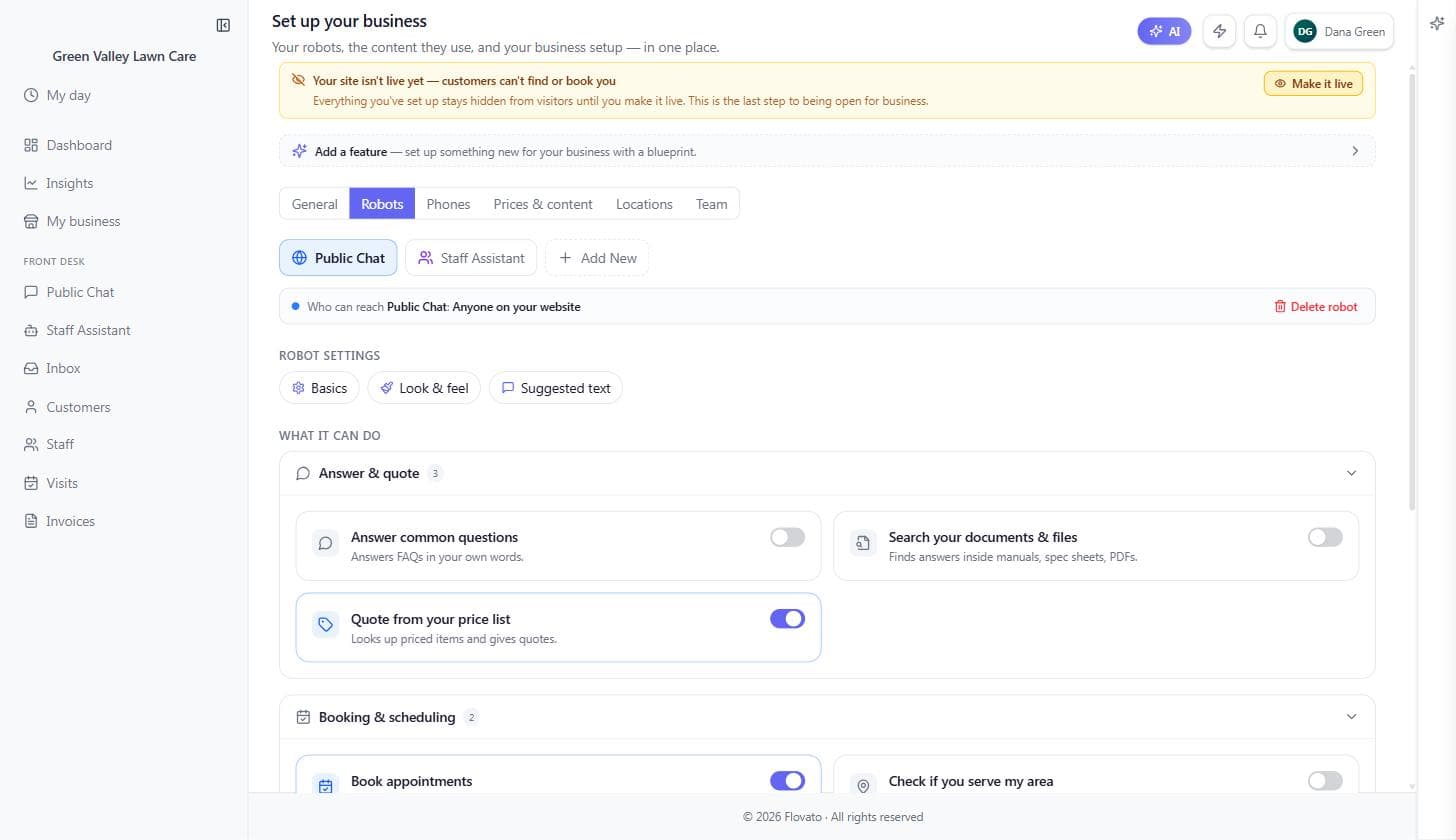
My business → Robots tab
Open "My business" from the left menu and check the Robots tab: under "Booking & scheduling," the "Book appointments" switch is what lets customers book through your chat.
Most trade blueprints turn it on for you from day one — if yours didn't, one click does it.
- 2
Set the hours customers can book
My business → General tab → Hours
Booking slots come straight from your business hours — customers only ever see times you're actually open.
Check the timezone while you're there: a wrong zone shifts every slot your customers are offered.
Green Valley is open Saturday 9–1, so the chat offers Saturday slots from 9:00 to 12:00 for a one-hour visit — and never a Saturday afternoon.
- 3
Create what customers can book
Visits (left menu) → Types
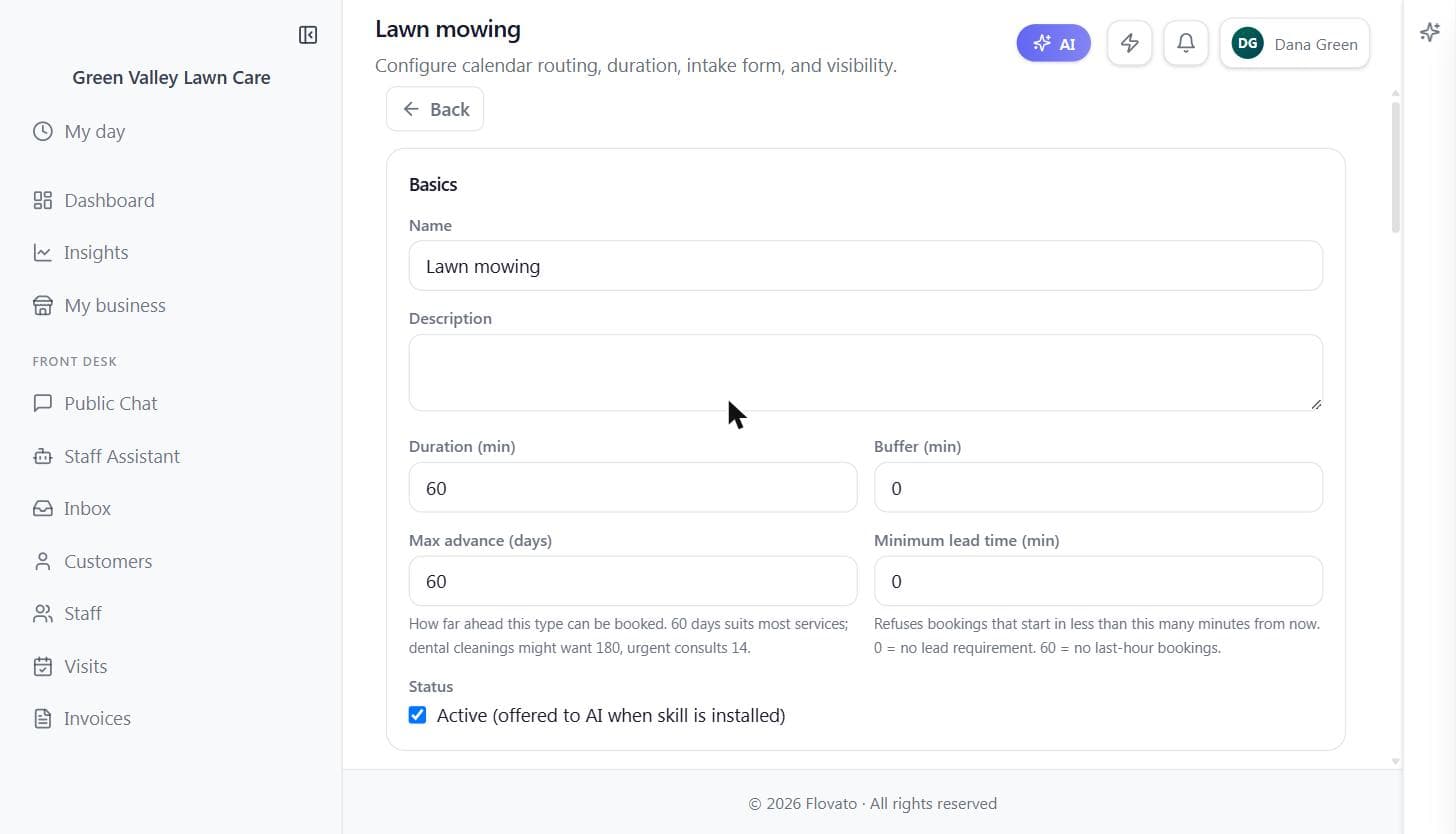
Open the Visit Manager and go to Types. Each appointment type is one thing customers can book: what it's called, how long it takes, and what gets asked up front.
Add a type per kind of visit. You can also attach property questions — gate access, lot size, pets — so your crew arrives knowing what they're walking into, and set bookings from chat to auto-confirm.
Green Valley added "Lawn mowing — 60 minutes," ticked the Property Notes preset (gate access, lot size, pets), and switched on auto-confirm for chat bookings.
- 4
Try booking like a customer
Your web address — the public chat
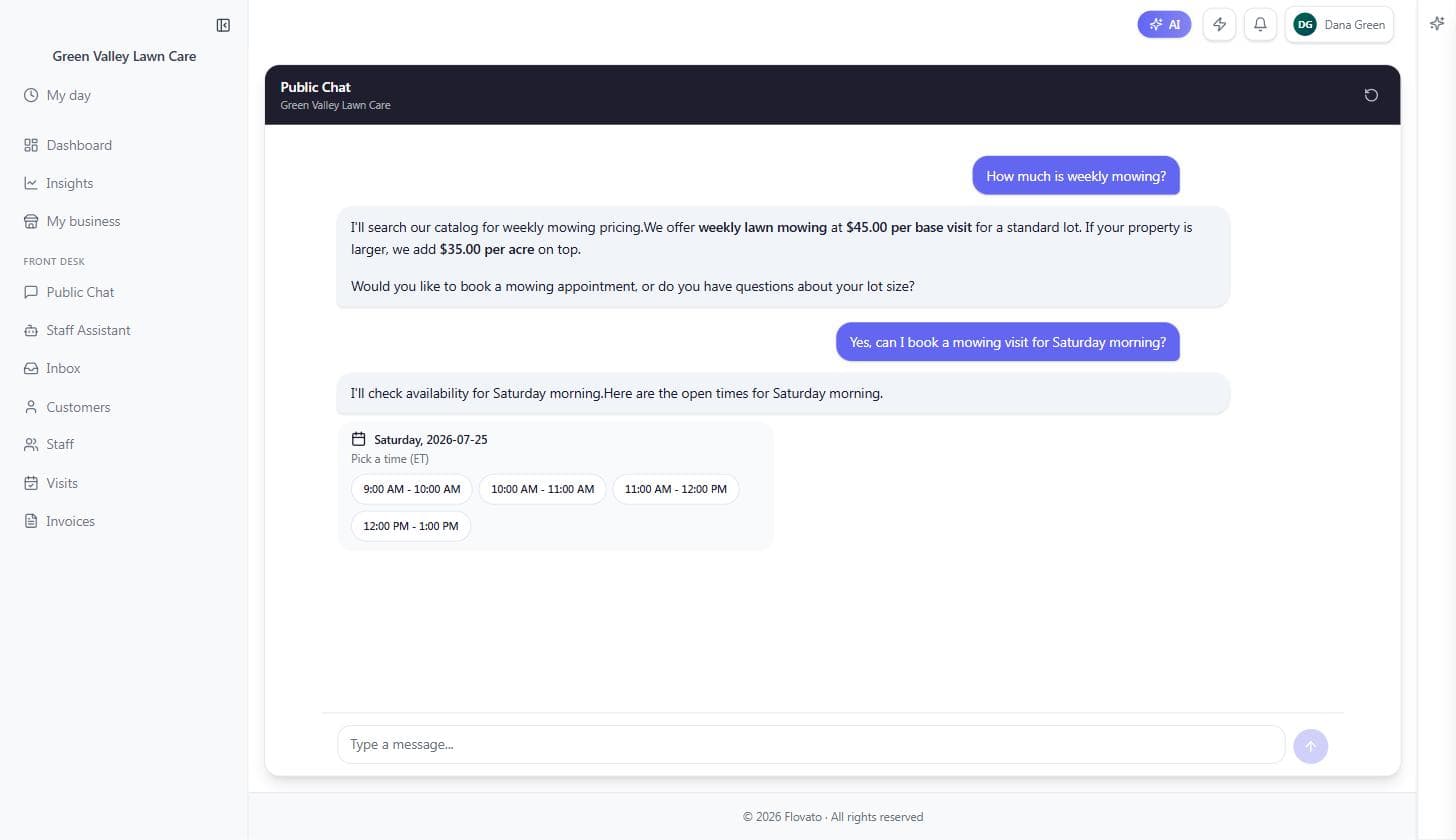
Open your site and book a visit yourself. The chat offers real open slots — your hours minus what's already taken — and confirms the booking on the spot.
That whole conversation happens with nobody from your crew touching a phone.
We asked Green Valley's chat to book "Saturday morning" — it came back with exactly the open Saturday slots between 9 and 1, ready to tap.
- 5
Your calendar fills itself
Visits (left menu)
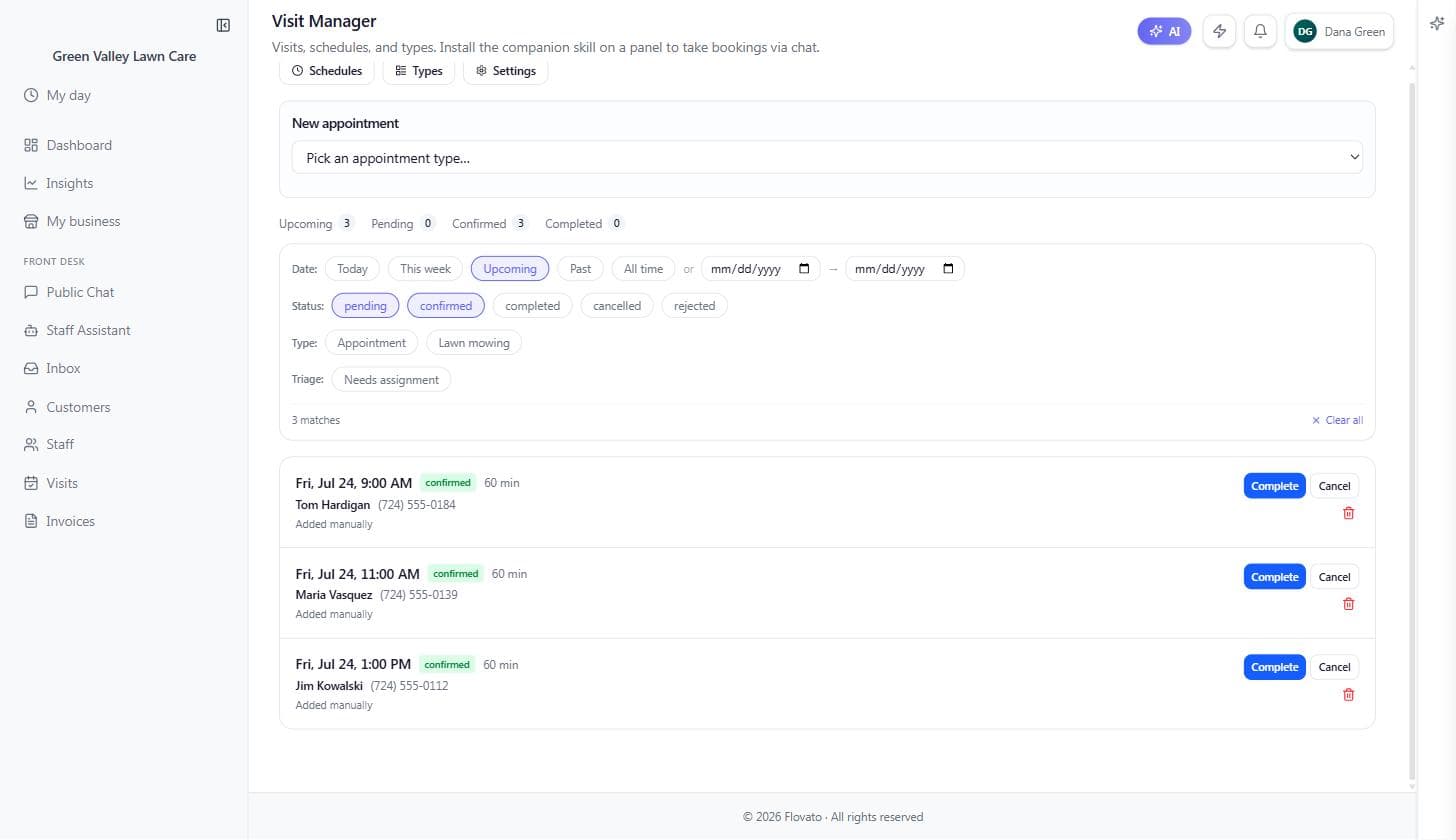
Every booking lands in the Visit Manager with the customer attached, ready to confirm, complete, or cancel.
You and your office can still book by hand from the same screen — the "New appointment" box at the top takes a name and a slot, and walk-ins and phone calls work like they always did. Flovato can also text customers reminders automatically so fewer no-shows sneak through.
Ready to try it?
Setting up takes about ten minutes, and the built-in Help assistant is there whenever you get stuck.
Get started